
How can I make a return?Updated 6 months ago
In this article you will find all the step-by-step information to manage your return through our official portal.
We’ll guide you from access to package delivery so that you can complete the process quickly and easily.
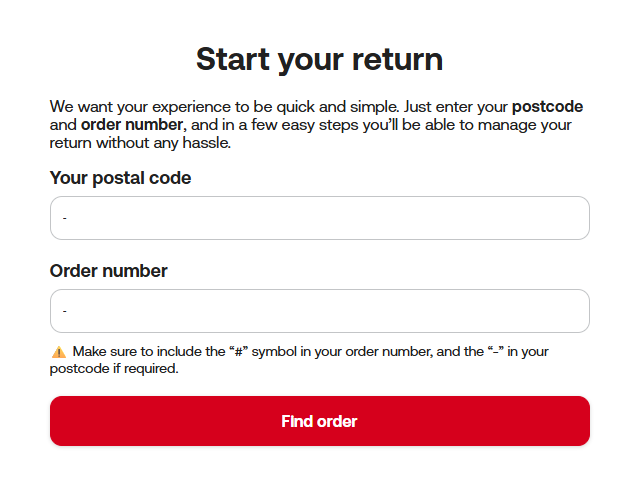
Step 1: Go to the returns portal and enter the postal code of your delivery address and the order number. Make sure to include the “#” symbol in your order number and the “-” in your postal code if applicable.
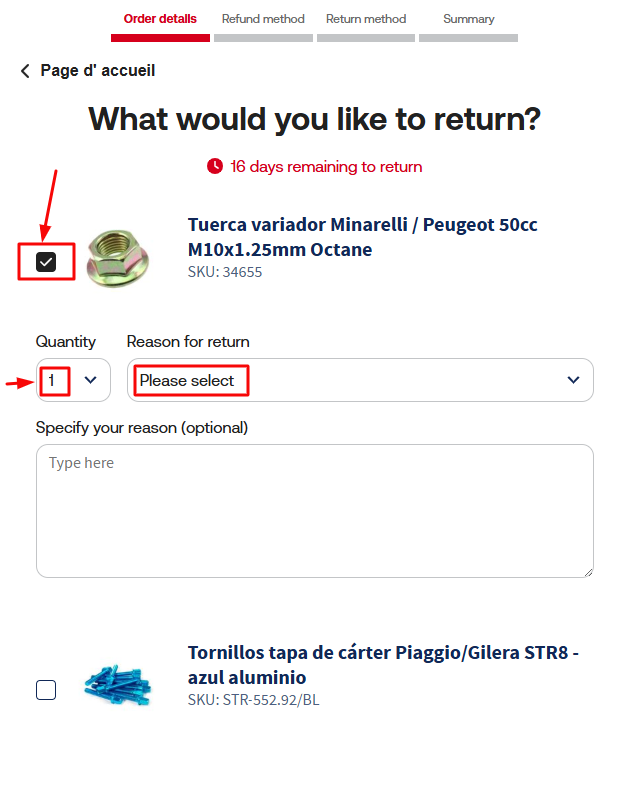
Step 2: Tick the item you wish to return, indicate the quantity and select the reason for the return from the dropdown menu.
Please add a short explanation in the comment to help us understand the reason in more detail and speed up the process.
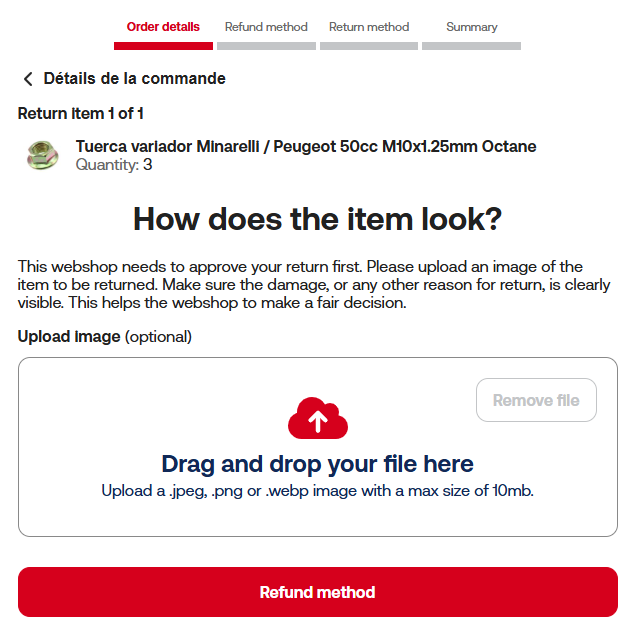
Step 3: To approve your return request, it is mandatory to attach an image of the item.
The photo must clearly show the condition of the product and its packaging. You can drag and drop the image into the box, or select it from your device.
Allowed formats: .jpeg, .png or .webp (max. 10 MB)
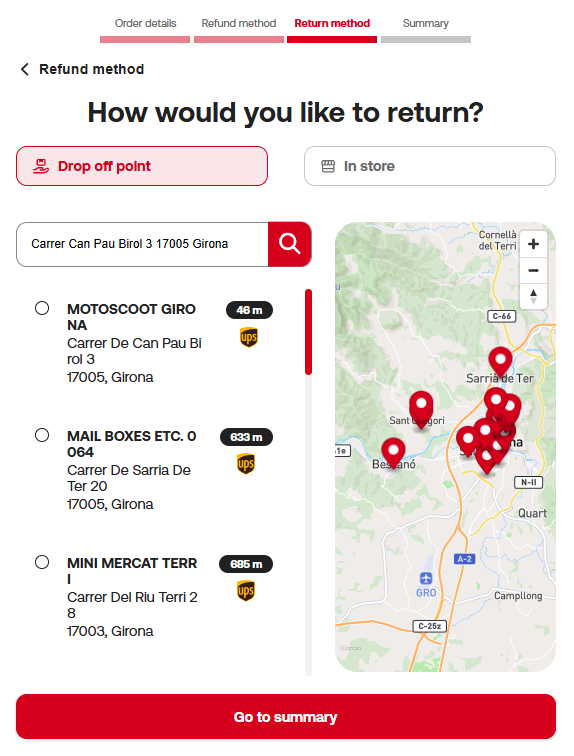
Step 4: You have two options to make the return:
Drop-off at our Girona store
You can bring the package yourself or arrange the shipment at your own expense if you work with a courier.
This option has no cost from Motoscoot.
Drop-off at a collection point
Select the drop-off point that suits you best on the map or from the list.
This service has a variable cost depending on the country and available courier.
Once you’ve chosen your preferred option, click “Go to summary” to continue
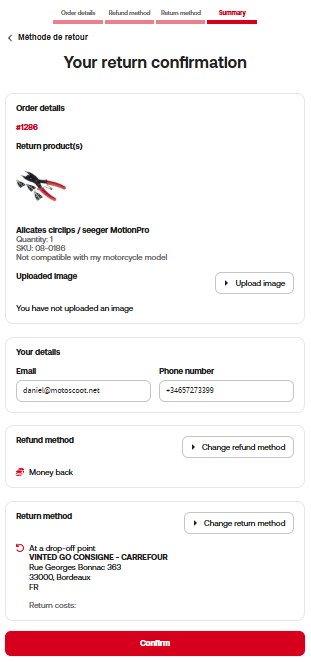
Step 5: Review and confirm your return
On this screen, you’ll see a complete summary of your request:
- Products you’re returning
- Reason and comment you entered
- Attached image of the item
- Chosen refund method
- Selected return method
- Return costs (if applicable)
Make sure all the information is correct.
If you need to change anything, you can use the edit buttons shown in each section
When everything is correct, click the Confirm button to finalise your request
After confirmation
Our technical team will review the request, the attached image and the information provided.
The return request will be approved or rejected according to our technical assessment and return policy.
You will receive an email with the instructions and/or the label to drop off your package if it is approved, and the reason for refusal if it is rejected.
If approved, you may proceed with the shipment of the package
Do not send anything until you receive final approval.
The approval of the return request does not guarantee the final acceptance of the return.
The final approval will be made by our technical team once the product is received in our facilities and its condition verified according to our return policy.
*For returns from the Canary Islands, Ceuta and Melilla, please contact customer service.